
 Blender
 Cinema 4D
 Arnold
 3ds Max
 Houdini
 V-Ray
V-Ray Maya
Maya Unreal Engine
 Nuke
Nuke3D Architectural Animation Guide: Process, Cost, and Software
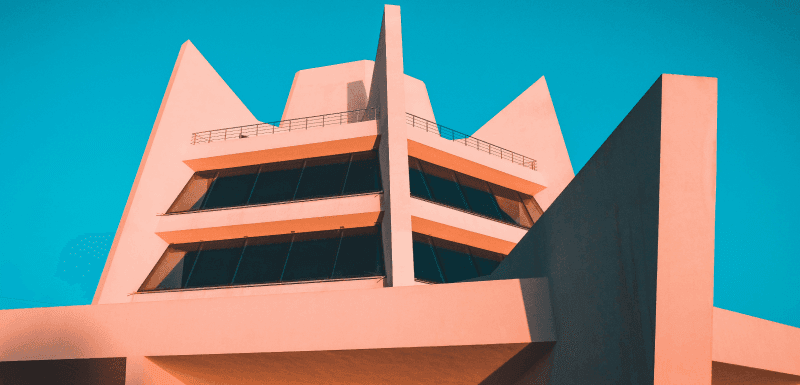
A still rendering can show what a building looks like. A 3D architectural animation shows how it feels to move through it.
With the right camera path, lighting, materials, and pacing, an architectural animation can turn a design proposal into a walkable experience: entering the lobby, passing through a living room, looking up at the facade, or flying over an entire masterplan. It helps clients understand scale, flow, atmosphere, and design intent much faster than drawings or single images.
In this guide, we’ll look at what 3D architectural animation is, the main types, how the production process works, which software is commonly used, what affects cost, and why rendering power matters when hundreds or thousands of frames need to be delivered on time.
What is Architectural Animation?
The virtual representation of a building or house in motion is known as architectural animation. With the help of 3D modeling techniques, users can create videos that show how a structure will look from different angles. A client or an architect can visualize how the product will look even before the start of construction. They can include realistic textures and even people to make the scene more lifelike.
The process starts with creating a 3D model and ends with presenting the final design to the clients. Unlike photos that show a frozen moment, animations let you move through the design naturally. They are used in marketing and project approvals to communicate design ideas effectively. This is the reason it has become vital in modern architecture and real estate development.
Common Types of Architectural Animation
Architectural animation can take different forms depending on the project, audience, and presentation goal. Some videos are designed to show the feeling of moving through a finished space, while others focus on scale, location, construction stages, or the overall site plan.
Interior Walkthrough
An interior walkthrough moves the camera through rooms, corridors, lobbies, offices, or other indoor spaces. It is often used for residential projects, hotels, retail interiors, and commercial spaces where material choices, lighting, furniture layout, and spatial flow matter. Compared with still renders, a walkthrough makes it easier for clients to understand how one space connects to the next.
Exterior Flythrough
An exterior flythrough presents the building from outside, usually with sweeping camera movement around the facade, entrance, landscape, and surrounding environment. This type of architectural animation is useful for showing massing, exterior materials, lighting conditions, and how the building sits within its site.
Aerial or Masterplan Animation
Aerial animation uses a higher camera angle to show a larger development, urban plan, resort, campus, or real estate masterplan. It helps viewers understand roads, green spaces, building placement, amenities, and the relationship between different zones. For large projects, this can be more effective than showing separate still images of each area.
Virtual Reality or Interactive Walkthrough
VR and interactive walkthroughs allow viewers to explore a space with more control instead of watching a fixed camera path. They are often used in design reviews, sales presentations, and client meetings where people need to inspect layout, scale, or atmosphere from different viewpoints. These experiences usually require more planning during production, but they can make architectural visualization feel closer to an on-site visit.
How to Create 3D Architectural Animation?
After learning the basic concept, this section will break down the process into simple steps. Here is a brief overview of the major steps involved in the process of architectural 3D animation:
1. Project Brief and Storyboard
The first step is to understand the project and gather important information about the building that can be used. This includes details like floor plans and the materials involved in the assignment. The designer also needs to know the purpose of the animation and the target audience for whom the project is being created. It is important to have clear communication at this step of architectural visualization animation to ensure the results meet the client's expectations.
After the scope of the project is known, a storyboard is created to outline camera movements and transitions. This helps visualize the final animation before the architects can get on with the project. It is important to properly plan the task at this stage to avoid costly revisions later.
2. Modeling
In this step, the three-dimensional illustration of the building is created with the help of software like Blender. The model includes walls and other structural elements that can be added. Moreover, the accuracy of the model is vital because any mistakes at this stage will affect the entire architectural 3d animation. Beyond just the building, additional details are incorporated to add to the realism of the design.
In addition, furniture, interior decor, and neighboring buildings are added to the scene. However, artists must optimize the model by avoiding overly complex geometry to avoid slowness. A thoroughly constructed 3D model acts as the foundation and ensures proper settings.
3. Texturing
It is the process of applying surface materials to the 3D model to make it look closer to being real. Artists use wood grain or brick patterns, which are high-resolution images. Then, they adjust parameters such as roughness and bump mapping to imitate real-world materials. For example, glass should appear transparent, and concrete should look rough. Moreover, proper texturing adds depth and authenticity to architectural animations.
Walls may have plaster textures, and the floors could be tiled, as different materials are assigned to various parts of the scene. High-quality textures improve visual appeal, but they must be adjusted to avoid excessive rendering times. UV mapping is often used to ensure textures align correctly on 3D surfaces.
4. Lighting
In setting the mood and realism of the architectural animation, lighting plays a necessary role. Artists use natural lighting and artificial sources to copy real-world conditions. Moreover, details such as the direction and intensity of the light are adjusted carefully. They may use warm lighting for cozy interiors and bright daylight for office spaces. Since proper lighting improves the textures of the project, it adds depth to the project's design.
Furthermore, shadows and reflections must also be fine-tuned to bring a lifelike effect. Techniques like ray tracing are also used that improve shadow accuracy. Poor lighting can make even a well-modeled scene look flat or unnatural. This step is paramount for creating an engaging and visually appealing animation.
5. Camera Animation
Architects can create stuff like a dynamic walkthrough or flyover of the building by animating the camera. In this phase, smooth camera movements like pans and tracking shots guide the viewer through key areas. The architectural 3D animation also includes moving elements like elevators and sliding doors to add realism. Plus, the transition and timing must feel natural, as abrupt movements can make the scene look robotic.
Artists use keyframe animation to define start and end points, and software inserts the motion in between. In addition, they can add stuff like people walking or cars driving by. It is done to make viewers feel as if they are physically present.
6. Rendering
This is the step where all elements of the project are used to create the final video file. It is the most computationally intensive step of the process, as the software needs to calculate multiple things for every frame. As a result, the high-resolution architectural visualization animation with complex effects can take hours or even days to render on a single computer.
To speed up this process, professionals can use cloud render farm services like Fox Renderfarm. This service distributes the workload across hundreds of servers to take the burden off your computer. It can reduce render times from days to hours and supports popular software like Blender.
7. Post-Processing
The raw rendered video is refined using tools such as Adobe After Effects for architectural animations. In this step, color corrections standardize brightness and saturation throughout the design. Effects like lens flares add a cinematic quality, and the layered sound design featuring ambient noise or music elevates the result. This step also fixes minor issues like flickering lights that can disturb the overall look of the video.
Some animations include text overlays, and the final output is exported in popular formats like MP4, which is suitable for everywhere use. In short, this step polishes the animation and gives it a professional touch.
8. Presentation and Client Review
As the project is completed, it is shared with investors and clients through various formats. Video files are generally used for online uploads, while VR headsets can be used for interactive walkthroughs. Feedback from clients may require minor tweaks, like the camera angle, before they finally approve it. When an artist presents an architectural animation nicely, it helps the clients visualize the project clearly.
A good presentation allows the investors to make informed and quick decisions about the project. These appealing visuals are a great marketing tool for real estate developers to attract potential buyers.
Pro Tips: Improve 3D Animation Rendering Efficiency
Architectural visualization animation can be so demanding on local hardware, as it deals with detailed lighting and realistic physics simulations. As a result, the computer may cause delays and take a long time to render these designs. To avoid such delays, artists can use the cloud rendering service of Fox Renderfarm. The platform supports all major software, like Maya and Cinema 4D, that you may need for such projects.

Moreover, it has powerful SSD storage drives, so you can access your data without any kind of delay. This render farm service can be used on different operating systems, like Windows, macOS, and Linux. Apart from this, the artists can switch between GPU and CPU rendering as per the needs of the project. It also sends powerful rendering nodes to process complex scenes efficiently and quickly.
Key Features
- Data Security: This service is ISO27001 certified and keeps the privacy of the artists as its top priority. Moreover, it is a Trusted Partner Network (TPN) accredited vendor, which confirms its user-centered approach.
- Premium Support: As the tool has a dedicated support team, it responds within 15 minutes. Furthermore, contacting them is as simple as you can contact them via WhatsApp or a simple Email.
- Pipeline Integration: With its APIs, you can effortlessly link this service to your production pipeline. It will help you to automate tasks like uploading projects and accessing rendered files.
- Fastest Speed: Since it is equipped with Raysync's technology, it significantly improves file uploads and downloads. This feature ensures the data is transferred at a fast speed for seamless workflow efficiency.
How Much Does Architectural Animation Cost?
The cost of architectural animation depends on the scope of the project. A short exterior flythrough with a simple camera path is usually much easier to produce than a detailed interior walkthrough with custom furniture, complex lighting, landscape design, people, traffic, or multiple revision rounds.
The main cost factors usually include animation length, scene complexity, modeling detail, material quality, lighting setup, camera movement, rendering resolution, post-production, and delivery deadline. Rendering can also affect the budget, especially for high-resolution animations where every second of video may require dozens of final frames.
For example, a 60-second animation at 30 frames per second needs 1,800 rendered frames. If the scene uses heavy global illumination, reflections, vegetation, glass, or high-resolution textures, render time can quickly become a production bottleneck. This is one reason many studios use cloud rendering for architectural animation: it helps them process large frame ranges faster without tying up local workstations during the final delivery stage.
Before requesting a quote, it helps to prepare a clear project brief, including the building type, animation length, camera path, reference images, preferred style, software, render engine, output resolution, and deadline. The more clearly these details are defined, the easier it is to estimate the production cost and avoid unnecessary revisions later.
5 Best 3D Architectural Animation Software
Now that you know about an efficient cloud rendering service, this section will discuss the software options available for creating architectural animations:
1. Autodesk 3ds Max
A powerhouse for architectural visualization animation, Autodesk 3ds Max offers advanced modeling tools like parameter arrays and procedural generation. It also comes with an integrated Arnold engine that is used to render complex scenes and designs. Additionally, its robust modifier stack allows non-destructive editing, perfect for iterative design changes. As the software supports multiple formats, such as USD, FBX, and CAD, it allows you to share your designs with anyone.

2. Blender
This open-source software is ideal for small studios, as it comes with a complete modeling toolkit and Boolean operations. Blender offers multiple rendering options, and you can switch between GPU and CPU rendering. Additionally, its cycle engine comes with support for Virtual Reality rendering, which is great for architectural 3D animation. The software allows support for Planar Tracking Tripod solvers as it includes a production-ready camera.

3. SketchUp Pro
SketchUp Pro’s intuitive push-pull modeling revolutionizes conceptual design and enables rapid massing studies and facade development. Since it uses V-Ray technology, it can help you create photorealistic architectural animations. Moreover, you can directly import Revit files into this software with just a few clicks. With the latest IFC improvements, you can enjoy upgraded transitions and minimize the risk of data loss and manual work.

4. Cinema 4D
Its MoGraph tools improve the architectural visualization animation with the help of facades and interior elements. Cinema 4D has Voronoi fracturing that allows you to shatter the object into different small fragments. Moreover, an artist can create complex models by adding or subtracting shapes with the power of OpenVDB. With its poly pen, they can create and delete surfaces comfortably without changing the tool.

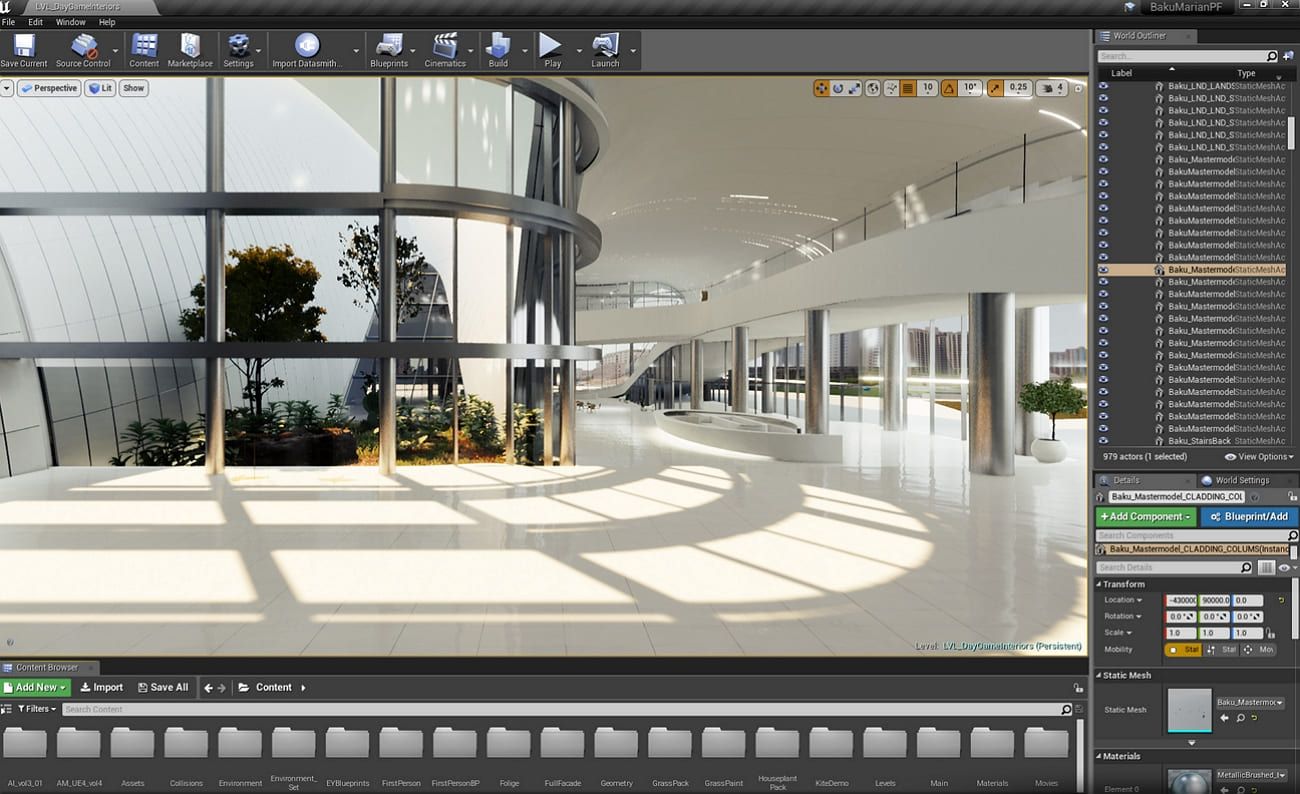
5. Unreal Engine
Since this architectural animation software comes with Nanite technology, it handles billions of polygons easily. The MetaHuman Creator integrates photorealistic digital humans into architectural walkthroughs. For VR presentations, Unreal Engine delivers unparalleled immersion with 90+ FPS performance. The software has a Movie Render Queue feature that produces cinematic-quality animations with motion blur. Moreover, the Datasmith workflow preserves material hierarchies when you are importing a project from 3ds Max or Revit.
How to Choose the Right Software for Your Project?
The best software for architectural animation depends on what you need to deliver, how detailed the scene is, and how much control the team needs over lighting, materials, camera movement, and rendering.
For highly polished stills and animation sequences, many studios prefer 3ds Max with render engines such as V-Ray or Corona because it offers strong modeling, shading, lighting, and scene-management tools. Blender is a flexible option for teams that want an open-source workflow with capable modeling, animation, and rendering features. SketchUp Pro can work well in early design and simple architectural visualization workflows, especially when speed and ease of use matter.
For real-time presentations, Unreal Engine is often a better fit. It allows architects and visualization teams to create interactive walkthroughs, VR experiences, and fast client previews instead of waiting for every camera change to be rendered offline. Cinema 4D is also useful when architectural visuals need motion graphics, clean camera animation, or presentation-driven design.
Key Benefits of Architectural 3D Animation Design
After exploring the top 5 3D animation software, here are the advantages of architectural 3D animation for your projects:
- Viewing Experience: 3D animations provide a realistic picture of architectural designs so clients can understand the project easily. As a result, this clarity reduces misunderstandings and brings them on the same page.
- Effective Marketing: These designs can be used in marketing materials to attract potential clients or investors. They showcase the design's features and benefits in a much clearer way than others.
- Cost and Time Savings: When you detect and resolve design issues early, it reduces the chances of expensive changes during construction. Animations help with accurate planning and budgeting, which benefits both clients and builders.
- Competitive Advantage: Since the firms that use 3D animation appear more professional and innovative, they stand out from the rest. With appealing presentations, they have a greater chance of winning more clients and projects.
- Virtual Walkthroughs: It is like watching the future, as clients can explore an architecture even before it is built. These virtual interactions allow them to zoom in and navigate a design to get a good look at it.
Conclusion
To wrap things up, architectural animation can open a lot of ways for artists in terms of client acquisition. The guide discussed every step of the process to provide detailed knowledge of the process. During the process, rendering is the most resource-intensive part, which can put a lot of burden on the device. To save their computers and avoid delays, artists should utilize cloud rendering services like Fox Renderfarm.
FAQ About 3D Architectural Animation
What is the difference between architectural animation and architectural rendering?
Architectural rendering usually refers to a single still image of a building, interior, or design concept. Architectural animation turns that same type of 3D scene into a video, using camera movement, timing, lighting, and editing to show how people experience the space from different angles.
What is the difference between a walkthrough and a flythrough?
A walkthrough usually moves through a space at human eye level, such as entering a lobby, moving through a living room, or walking down a corridor. A flythrough often uses wider, more cinematic camera movement around the exterior, site, landscape, or masterplan. Many architectural animations combine both.
How long does a 3D architectural animation take to render?
Render time depends on the animation length, resolution, scene complexity, render engine, lighting, materials, and hardware. A short preview may render quickly, while a final high-resolution sequence with thousands of frames can take much longer, especially if the scene includes glass, reflections, vegetation, or detailed interiors.
What software is best for architectural animation?
There is no single best software for every project. 3ds Max is widely used for polished architectural visualization, Blender is flexible and open-source, SketchUp is popular for fast design workflows, Cinema 4D works well for motion-driven presentation, and Unreal Engine is strong for real-time walkthroughs and interactive scenes.
How much does architectural animation cost?
Architectural animation cost depends on the video length, modeling detail, scene complexity, animation style, render quality, revision rounds, and delivery deadline. A simple exterior camera move is usually easier to estimate than a detailed interior walkthrough, VR presentation, or large masterplan animation with many assets.
Why use a render farm for architectural animation?
A render farm helps process large frame ranges faster than a single local workstation. This is useful for architectural animation because even a short video can require hundreds or thousands of final frames. Cloud rendering can reduce local machine pressure and help teams meet tight delivery schedules.