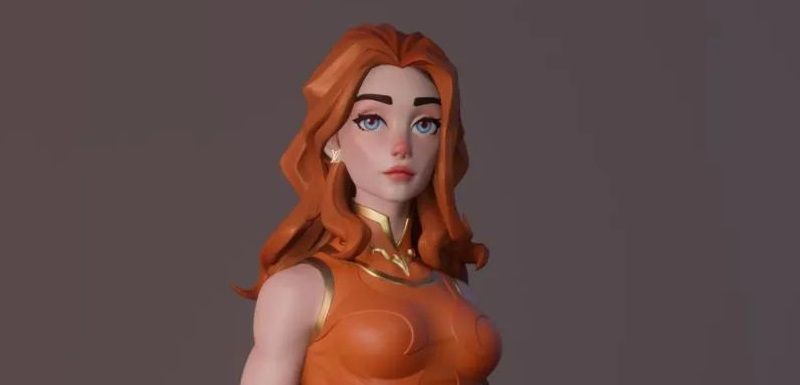



Easy Cel Shading Tutorial for Cartoon in Blender Within 2 Minutes

Today, as the leading cloud rendering services provider and Blender render farm, Fox Renderfarm is going to share a simple cel shading tutorial for cartoon in Blender and a way to give the cartoon border. The basic cel shading for cartoon effect is very simple in Blender and can be solved with just a few clicks. Even if you are not very skilled in Blender, you can do it after reading this article.
>> Related: Complete Cel Shading Tutorial: Key Techniques & Applications for Artists
Part 1. Material of Cel Shading for Cartoon
First, create a material sphere for your model, delete the Principled BSDF shader and leave the Material Output undeleted.

Next, create 3 nodes: Diffuse BSDF, Shader-RGB, ColorRamp, connect the nodes as shown on the diagram and change the RGB type of ColorRamp to Constant.

Press the plus sign to add a color transition block, each small grid represents a color and the color can be changed at the bottom.

Next, just adjust the color you want.


Part 2. Cartoon Stroke
First, add another material sphere to the previous one, change the shader to Emission, turn on Backface Culling, change the color to black and the Shadow Mode to none.

Next, add a solidification modifier, change the material offset to 1, check the flip in the normal direction and adjust the thickness to achieve the stroke effect.

In fact, there are other ways to achieve the cartoon triple rendering effect in Blender, here we have introduced 2 easier and quicker ways to achieve it, you guys just go and have fun!


The above is cel shading tutorial for cartoon in Blender brought to you by Fox Renderfarm. We hope you can learn something from it. Fox Renderfarm is an excellent CPU & GPU render farm and cloud rendering services provider, so if you need to find a render farm, why not try Fox Renderfarm, which is offering a free $25 trial for new users.